Paragraphenhüpfer - mein erstes mit ChatGPT programmiertes Spiel
Paragraphenhüpfer - oder kann ich kleines Spiel mit ChatGPT 4o programmieren?
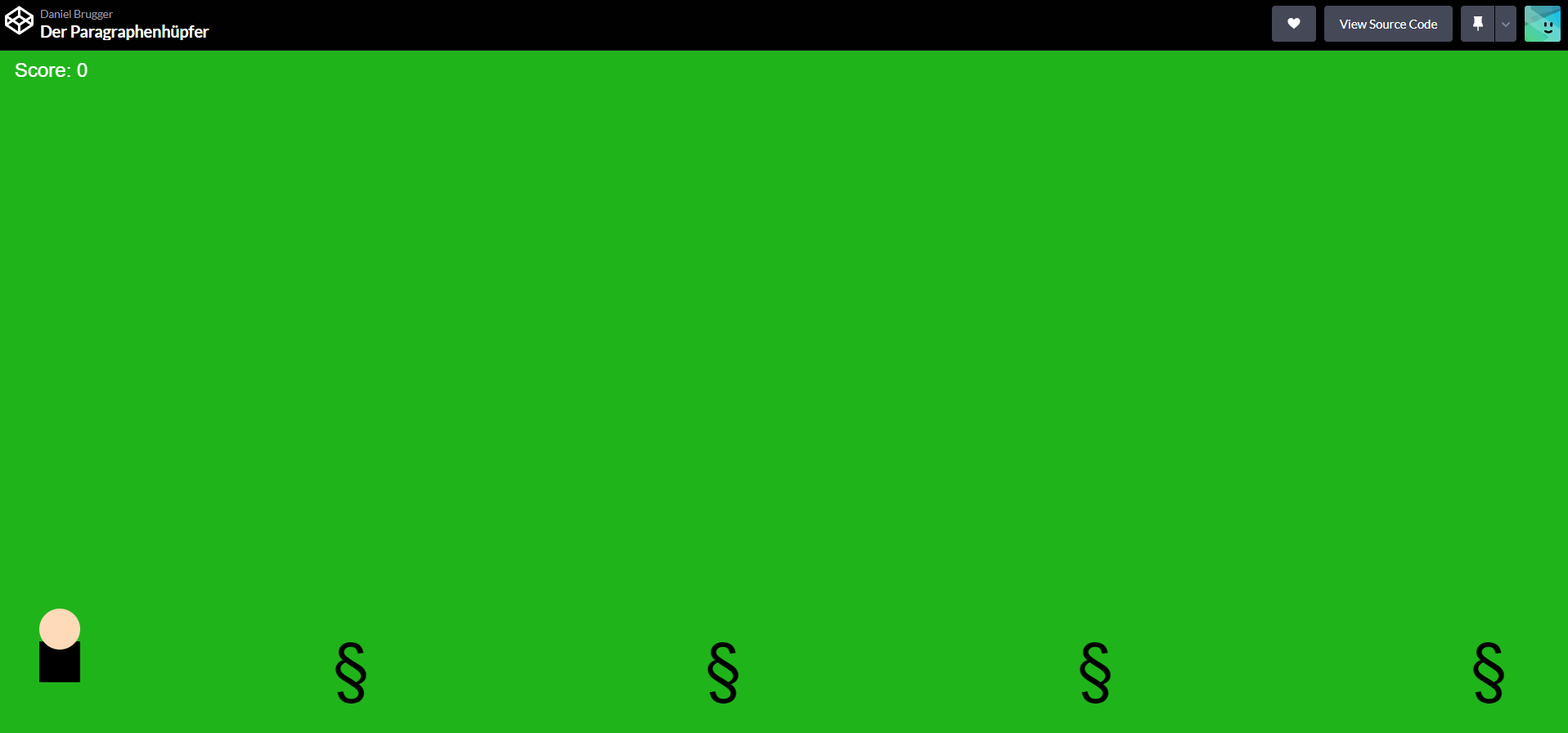
Ich wollte wissen, ob ich mit ChatGPT ein kleines Spiel programmieren kann. Das geht bestens: Link zum Spiel → Leertaste drücken zum Hüpfen bzw. auf dem Handy auf den Bildschirm klicken - Paragraphenhüpfer, das Hüpfspiel für Anwältinnen und Anwälte.
Die gesamte “Programmierung” dauerte rund 30min. Die Idee habe ich von hier https://www.linkedin.com/posts/activity-7243957344034766848-OOww?utm_source=share&utm_medium=member_desktop
Wie erstelle ich so ein Spiel?
Du kannst ChatGPT beschreiben, was das Spiel machen soll und er dir ein html-Spiel programmieren soll.
Einfachere Variante: Du nimmst den html-Code von meinem Spiel (siehe unten) und erklärst ChatGPT, was anders sein soll, z.B. wer über was hüpfen soll. ChatGPT erstellt dir dann einen html-Code. Diesen Code kannst du als html-Datei abspeichern und mit dem Browser (lokal) öffnen. Wenn du das Spiel anderen zugänglich machen möchtest, kannst du z.B. den Code auf https://codepen.io/ abspeichern, wie ich es gemacht habe
Der html-Code:
<!DOCTYPE html>
<html>
<head>
<title>Der Paragraphenhüpfer</title>
<style>
body {
margin: 0;
overflow: hidden;
background-color: rgb(32, 180, 27);
touch-action: manipulation;
}
canvas {
display: block;
margin: 0 auto;
background-color: rgb(32, 180, 27);
}
#gameOverText {
position: absolute;
top: 40%;
width: 100%;
text-align: center;
font-size: 48px;
color: rgb(4, 80, 4);
display: none;
font-family: Arial, Helvetica, sans-serif;
}
#scoreText {
position: absolute;
top: 10px;
left: 20px;
font-size: 24px;
color: #ffffff;
font-family: Arial, Helvetica, sans-serif;
}
</style>
</head>
<body>
<canvas id="gameCanvas"></canvas>
<div id="scoreText">Score: 0</div>
<div id="gameOverText">Game Over - Versuch es noch einmal</div>
<script>
const canvas = document.getElementById('gameCanvas');
const ctx = canvas.getContext('2d');
const gameOverText = document.getElementById('gameOverText');
const scoreText = document.getElementById('scoreText');
function resizeCanvas() {
canvas.width = window.innerWidth;
// Reduziere die Höhe des Canvas, um unten einen Abstand zu lassen
canvas.height = window.innerHeight - 50; // 50px Abstand zum unteren Rand
}
resizeCanvas();
window.addEventListener('resize', resizeCanvas);
let lawyer = {
x: 50,
y: canvas.height - 80,
width: 50,
height: 80,
dy: 0,
gravity: 0.6,
jumpStrength: -15,
isJumping: false
};
let obstacles = [];
let gameSpeed = 5;
let obstacleFrequency = 1500;
let lastObstacleTime = Date.now();
let gameOver = false;
let speedIncreaseInterval = 5000;
let lastSpeedIncrease = Date.now();
let score = 0; // Score-Variable hinzugefügt
function drawLawyer() {
// Körper
ctx.fillStyle = 'black';
ctx.fillRect(lawyer.x, lawyer.y, lawyer.width, lawyer.height - 30);
// Kopf
ctx.fillStyle = '#FFDAB9';
ctx.beginPath();
ctx.arc(lawyer.x + lawyer.width / 2, lawyer.y - 15, 25, 0, Math.PI * 2);
ctx.fill();
}
function drawParagraph(obstacle) {
// Zeichne ein großes Paragraphenzeichen (§)
ctx.fillStyle = 'black';
ctx.font = obstacle.height + 'px Arial';
ctx.fillText('§', obstacle.x, obstacle.y - 10);
}
function drawExplosion(x, y) {
ctx.fillStyle = 'orange';
ctx.beginPath();
ctx.arc(x + lawyer.width / 2, y + lawyer.height / 2, 30, 0, Math.PI * 2);
ctx.fill();
ctx.fillStyle = 'yellow';
ctx.beginPath();
ctx.arc(x + lawyer.width / 2, y + lawyer.height / 2, 20, 0, Math.PI * 2);
ctx.fill();
ctx.fillStyle = 'red';
ctx.beginPath();
ctx.arc(x + lawyer.width / 2, y + lawyer.height / 2, 10, 0, Math.PI * 2);
ctx.fill();
}
function handleObstacles() {
if (Date.now() - lastObstacleTime > obstacleFrequency) {
let obstacle = {
x: canvas.width,
y: canvas.height - 10,
width: 60,
height: 80
};
obstacles.push(obstacle);
lastObstacleTime = Date.now();
}
obstacles.forEach(function (obstacle, index) {
obstacle.x -= gameSpeed;
if (obstacle.x + obstacle.width < 0) {
obstacles.splice(index, 1);
score++; // Score erhöhen, wenn ein Hindernis den Bildschirm verlässt
scoreText.innerText = 'Score: ' + score; // Score anzeigen
}
});
}
function detectCollision(obstacle) {
if (
lawyer.x < obstacle.x + obstacle.width &&
lawyer.x + lawyer.width > obstacle.x &&
lawyer.y < obstacle.y &&
lawyer.y + lawyer.height > obstacle.y - obstacle.height
) {
return true;
}
return false;
}
function updateLawyer() {
lawyer.y += lawyer.dy;
if (lawyer.y + lawyer.height < canvas.height) {
lawyer.dy += lawyer.gravity;
lawyer.isJumping = true;
} else {
lawyer.dy = 0;
lawyer.isJumping = false;
lawyer.y = canvas.height - lawyer.height;
}
}
function gameLoop() {
if (gameOver) return;
ctx.clearRect(0, 0, canvas.width, canvas.height);
updateLawyer();
handleObstacles();
drawLawyer();
obstacles.forEach(function (obstacle) {
drawParagraph(obstacle);
if (detectCollision(obstacle)) {
drawExplosion(lawyer.x, lawyer.y);
gameOver = true;
gameOverText.style.display = 'block';
}
});
// Geschwindigkeit und Schwierigkeit erhöhen
if (Date.now() - lastSpeedIncrease > speedIncreaseInterval) {
gameSpeed += 1;
obstacleFrequency = Math.max(500, obstacleFrequency - 100);
lastSpeedIncrease = Date.now();
}
requestAnimationFrame(gameLoop);
}
function startGame() {
obstacles = [];
gameSpeed = 5;
obstacleFrequency = 1500;
lastObstacleTime = Date.now();
gameOver = false;
gameOverText.style.display = 'none';
lawyer.y = canvas.height - lawyer.height;
lawyer.dy = 0;
lastSpeedIncrease = Date.now();
score = 0; // Score zurücksetzen
scoreText.innerText = 'Score: ' + score; // Score anzeigen
requestAnimationFrame(gameLoop);
}
function handleJump() {
if (!lawyer.isJumping && !gameOver) {
lawyer.dy = lawyer.jumpStrength;
lawyer.isJumping = true;
} else if (gameOver) {
startGame();
}
}
document.addEventListener('keydown', function (e) {
if (e.code === 'Space') {
handleJump();
}
});
canvas.addEventListener('touchstart', function (e) {
e.preventDefault();
handleJump();
});
canvas.addEventListener('mousedown', function (e) {
handleJump();
});
requestAnimationFrame(gameLoop);
</script>
</body>
</html>